 Wagebee
Know exactly what you're owed.
Wagebee tracks your hours and counts overtime by the rules where you work — daily, weekly, double time, California's 7th day and Colorado's 12 hours in a row. Then it checks your paycheck, so you never miss money you earned.
Coming soon to the App StoreFree to track your hours, with no limits. No account. No ads.
Everything a paycheck depends on
Most hours trackers multiply hours by your rate. Wagebee follows the overtime rules, pay periods and premiums your employer uses.
Overtime done right
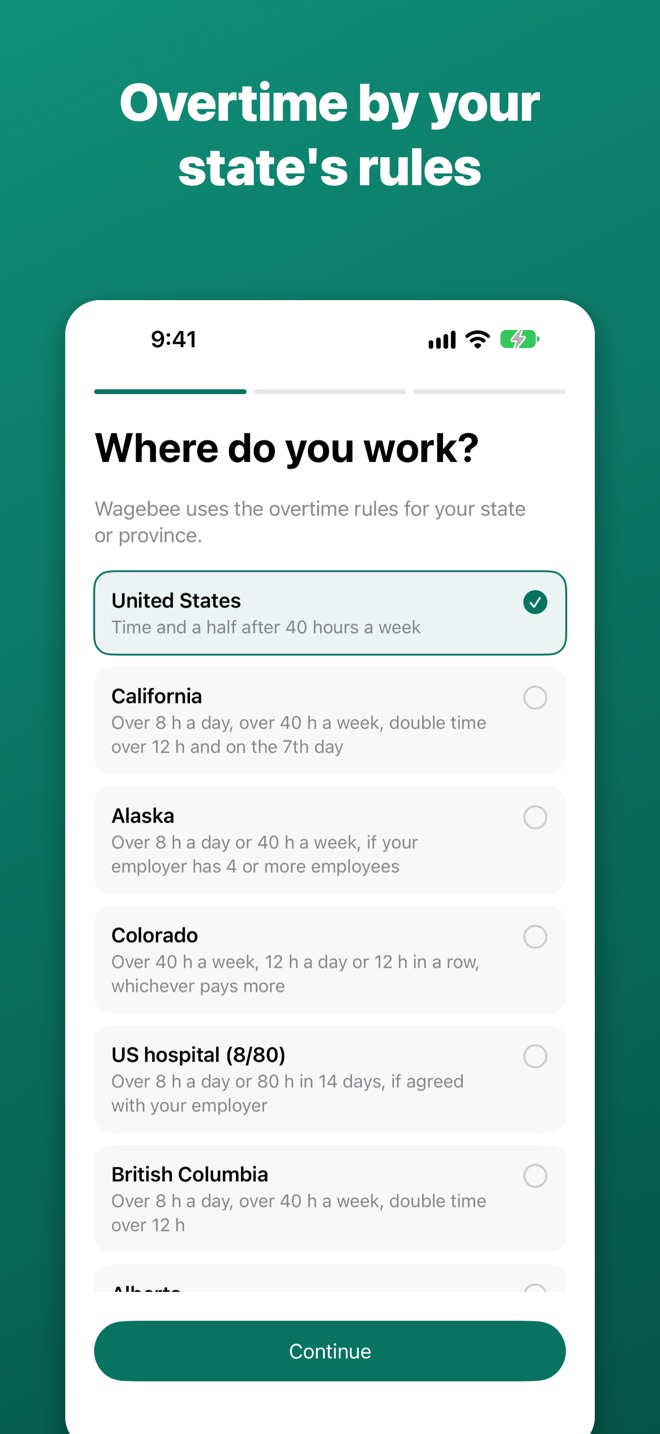
Daily and weekly overtime, double time, the 7th day and 12 hours in a row — counted once, never twice. Overnight shifts, unpaid breaks and daylight saving time handled for you.
Check every paycheckPRO
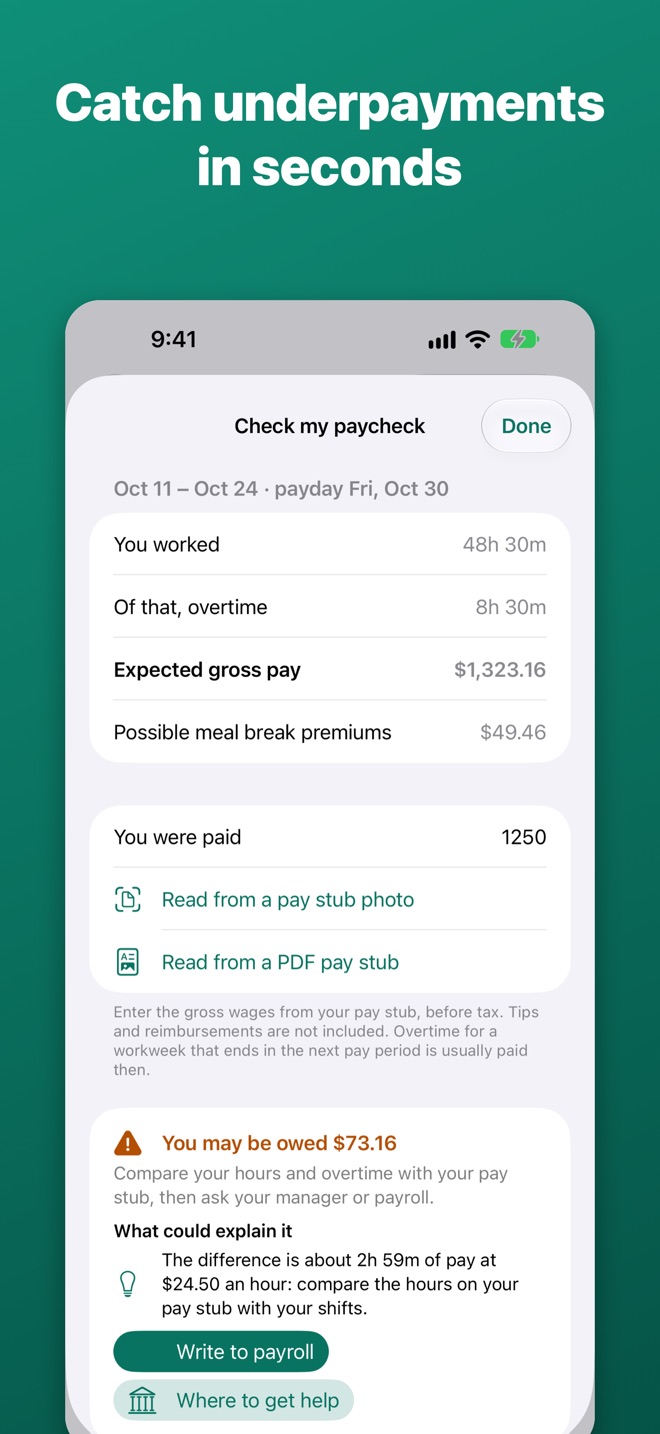
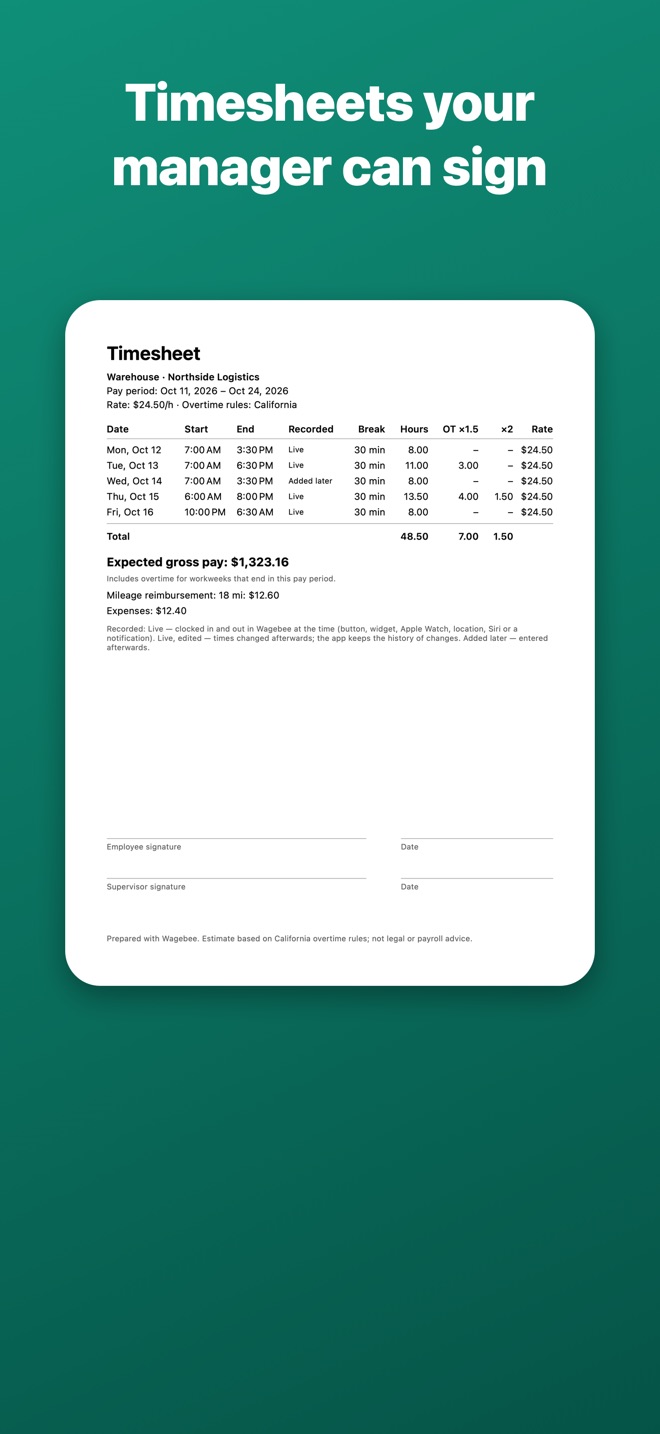
Type in what you were paid. Wagebee shows whether you're owed more, with a timesheet PDF your supervisor can sign and a CSV for spreadsheets.
Read your pay stubPRO
Snap your pay stub or open the PDF from your payroll portal: Wagebee looks for the gross pay, the hours and the pay period and shows them next to your record — check what it found. It's read on your iPhone and isn't saved or sent.
Write to payrollPRO
Underpaid? Wagebee drafts a letter to payroll as a PDF: what you're owed, the overtime law it's based on, and your daily times attached.
Clock in from anywhere
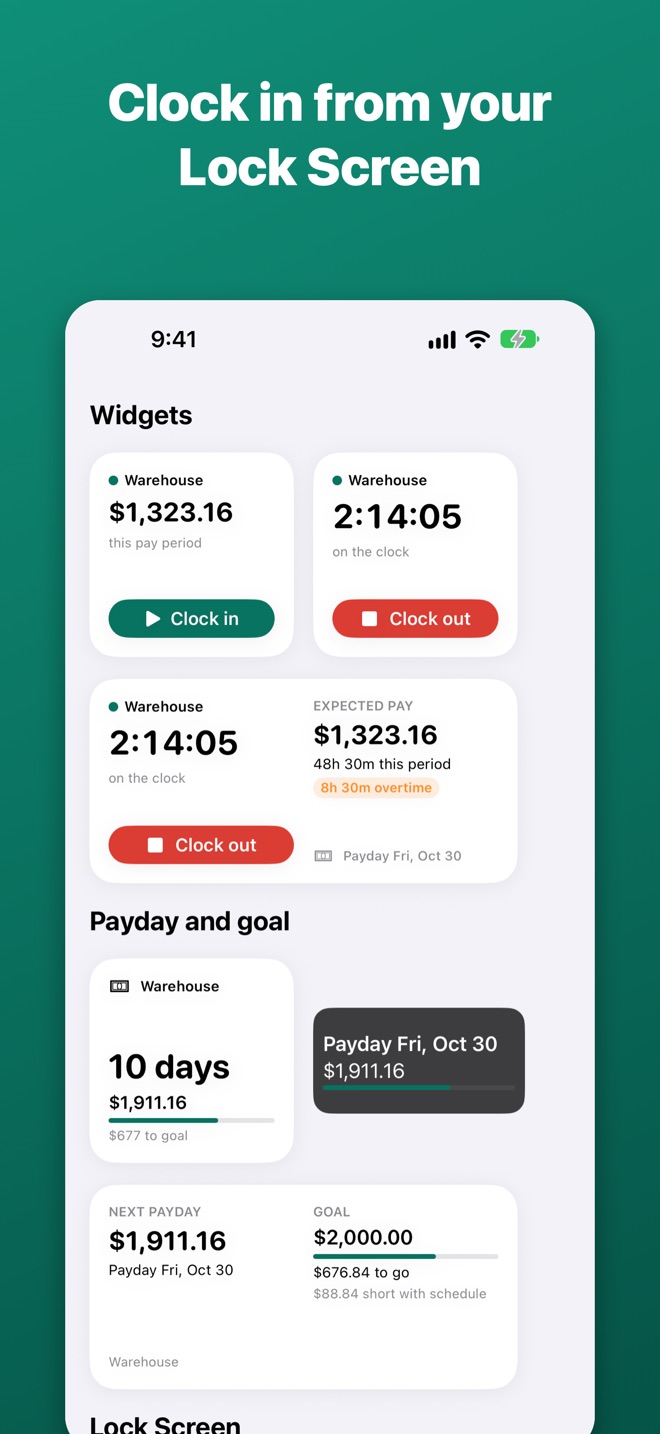
The app, a widget, your Lock Screen, Control Center, the Action button, Siri or your Apple Watch. A reminder if you forget to clock out.
Breaks that count right
Tap Break to pause the clock. Rest breaks under 20 minutes stay paid, as US law requires; unpaid meal breaks come off your hours.
Clock in when you arrivePRO
Set your workplace once. Get a Clock in button as you walk in — or let Wagebee clock you in and out, at the minute you arrived and left.
Your schedule, your forecast
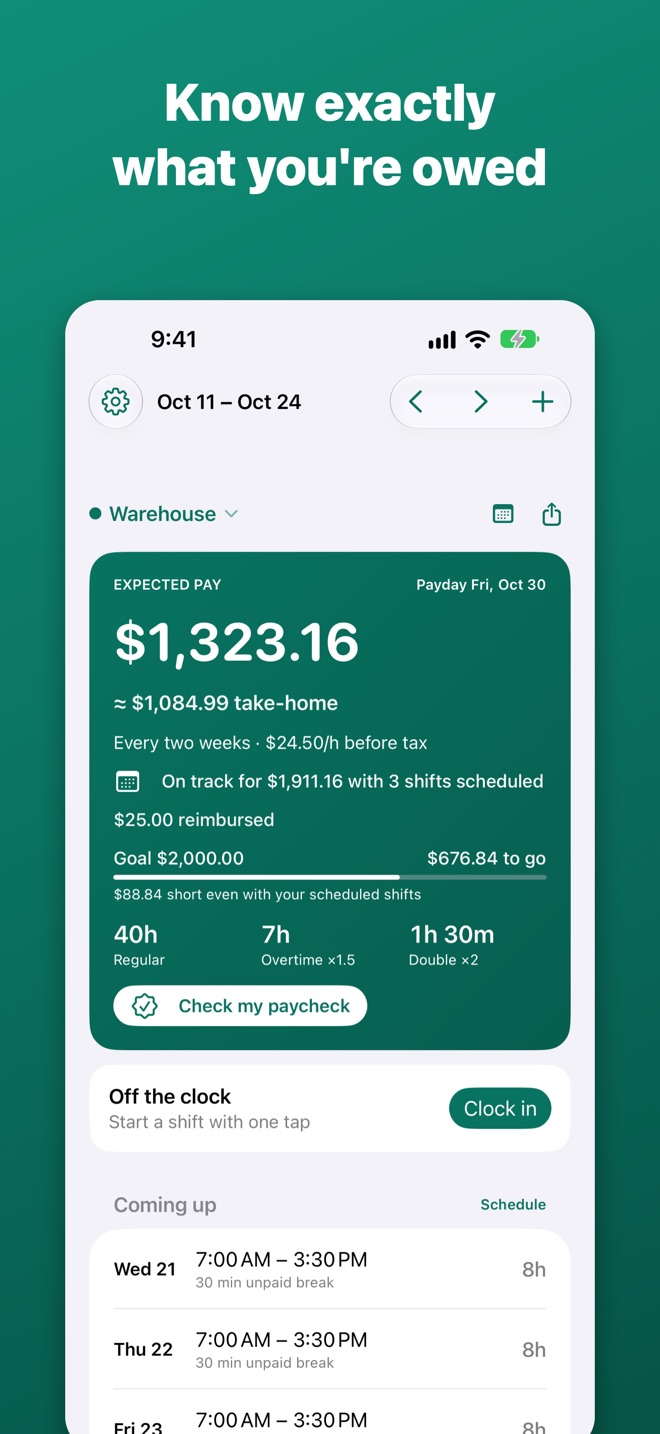
Add the shifts your manager gave you — or snap the posted schedule with Pro — and see what the pay period should bring: “On track for $1,911.16 with 3 shifts scheduled.”
Payday and goal
A widget with the days to payday, what it should bring and how close you are to your goal. Ask Siri “When is payday in Wagebee”, and get a summary of your week the morning after it ends.
Tips, mileage, every jobPRO
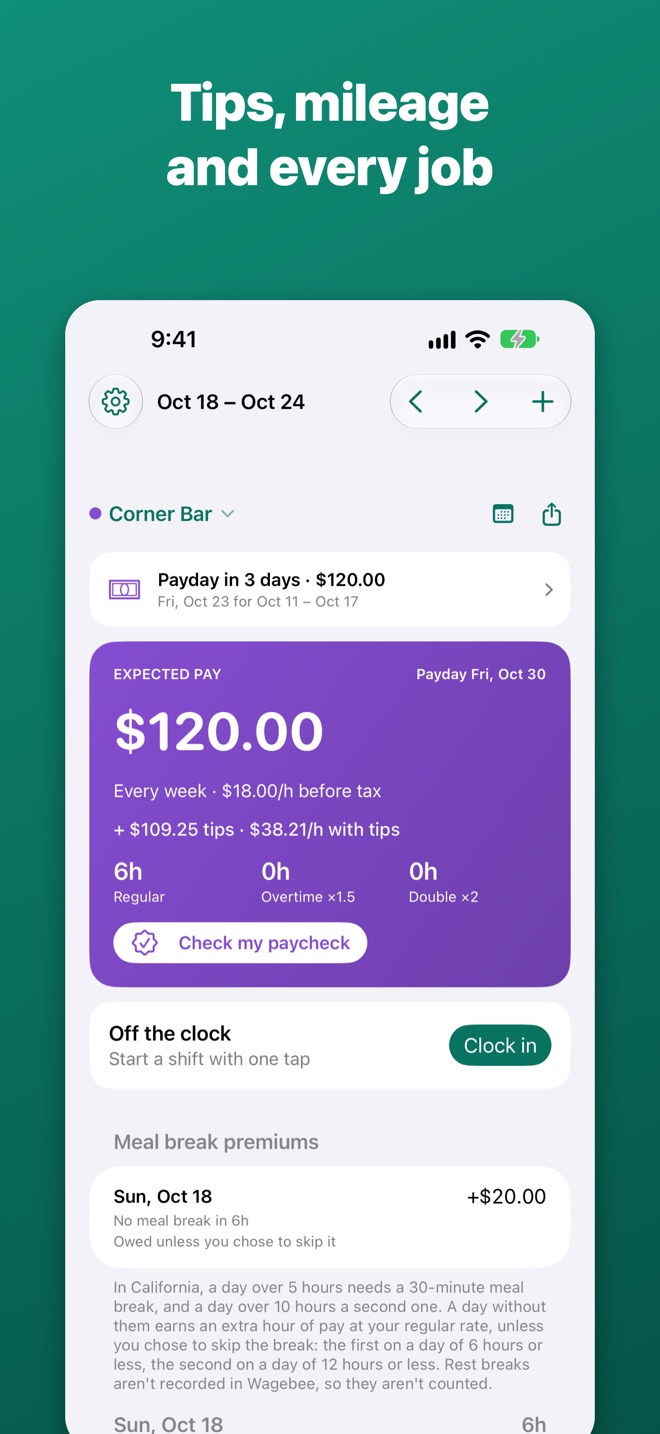
Cash and card tips and what you really make per hour, miles and receipts, night and weekend premiums, and a separate rate and rules for each job.
Holidays and time off
Paid holiday and sick days in your pay without inflating overtime. Statutory holiday pay in Ontario, British Columbia and Alberta. In the UK, holiday earned at 12.07% of the hours you work.
Your data, your file
Everything stays on your iPhone. Back up to Files or iCloud Drive whenever you like — and bring your shifts from another hours app as a CSV or Excel file.
See it in the app
A two-week pay period at a California warehouse, and a bar shift with tips.
Fair pricing
No weekly plans. No ads. Track your hours free for as long as you like.
Free
- Unlimited shifts and hours
- All overtime rule sets and your own rule
- Widgets, Lock Screen, Control Center, Apple Watch, Siri
- Schedule, pay forecast, payday and goal
- Breaks, weekly summary, CSV and Excel import
- Holidays, sick days and time off
- Backup to a file
Wagebee Pro
- Check every paycheck
- Pay stub from a photo or PDF
- Letter to payroll
- Timesheet PDF and CSV
- More than one job
- Night and weekend premiums
- Tips, mileage and expenses
- Schedule from a photo
- Clock in when you arrive
- Take-home estimate and year totals
Prices in US dollars; App Store prices in other countries may differ.
Questions
Is Wagebee legal or payroll advice?
No. Wagebee estimates your pay from the hours you enter and the official overtime rules for the place you choose. Rules can differ for salaried roles, union contracts and some industries. If you think you were underpaid, talk to your employer or your local labor standards office.
Which places does it support?
The United States (federal rules), California, Alaska, Colorado, US hospitals and care homes with an 8/80 agreement, British Columbia, Alberta, Ontario and the United Kingdom. You can also use a rule from your contract.
Can I bring my hours from another app?
Yes. Export your shifts as CSV or Excel in the other app, then choose Import shifts from CSV or Excel in Wagebee's Back up and restore. Wagebee recognizes the columns by their headers, and you can correct them before importing.
Do I need an account?
No. There is no sign-up. Your hours stay on your iPhone, and the app works without an internet connection.
Does the Apple Watch app need my iPhone nearby?
No. Taps on the watch show right away and reach your iPhone when it's back in range, with the time you tapped.
How do I move to a new iPhone?
In Wagebee, choose Back up and restore, save the backup file to Files or iCloud Drive, then restore it on the new phone. Wagebee Pro comes back with Restore Purchases.